

Let’s be honest-tracing or enlarging a sketch onto a giant canvas can be a massive pain. I’ve spent more hours than I care to admit with a grid and a pencil, squinting and erasing, only to mess up the proportions. It’s enough to kill your creative buzz before you even start painting.
That’s where a good art projector swoops in to save the day. But with so many options-from classic opaque boxes to smart digital projectors with fancy apps-choosing the right one is its own challenge. I’ve tested the most popular models out there to cut through the noise and find the tools that actually make the artistic process easier, more fun, and way more accurate.
Whether you’re a muralist, a hobbyist painting on the weekend, or a parent looking for a creative toy, there’s a perfect projector here for you. Let’s dive in.
Best Art Projector for Tracing – 2026 Reviews
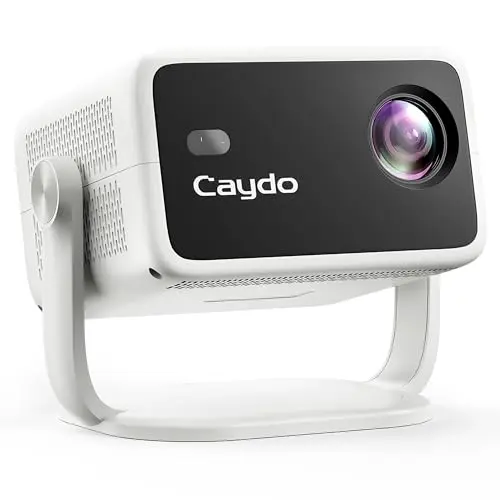
Caydo P3 Art Projector with Exclusive Drawing App for Artists – High-Definition Tracing
The Caydo P3 is the artist’s modern toolkit in a box. With a sharp native 1080P resolution and a dedicated drawing app, it feels like having a digital assistant for your canvas. The auto-focus is crazy fast, and the 360-degree rotatable base means you can project onto a wall or even the ceiling without fuss.
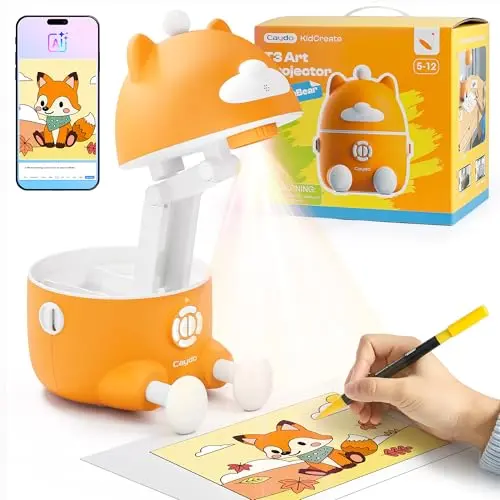
Caydo T3 AI Drawing Projector for Kids – Learn to Draw with Ease
This isn’t just a toy; it’s a clever, engaging teacher. The Caydo T3 combines a real HD projector with an AI that can draw anything you describe and hundreds of pre-loaded activities. It’s designed to make learning to draw fun and screen-free, which is a huge win for parents.
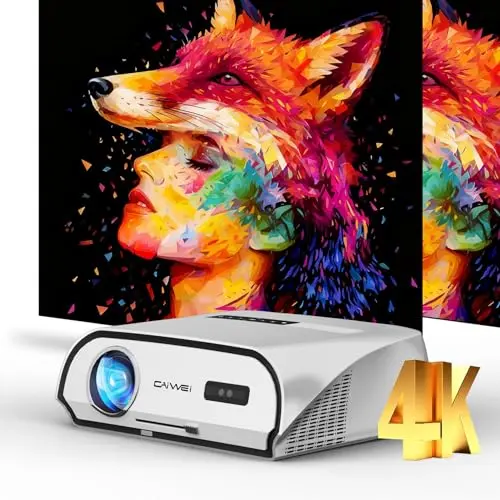
4K Home Cinema Smart Projector – Versatile Powerhouse
If you want one device that can handle a Saturday night movie and a Sunday afternoon painting session, this is it. With insane 1580 ANSI lumen brightness and a full Android TV system, it’s a home entertainment beast that also happens to be brilliant for tracing large-scale art.
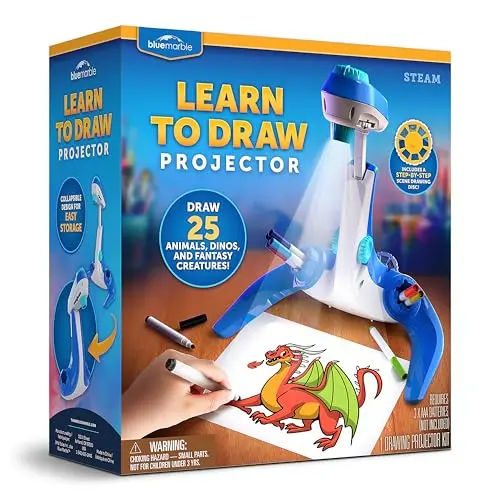
Blue Marble Learn to Draw Projector – Perfect for Young Artists
This all-in-one kit gets kids drawing within minutes. No apps, no complex setup-just pop in a disc, turn it on, and trace. The included markers and illustrated instructions make it a complete, engaging creative station that encourages confidence and fine motor skills.
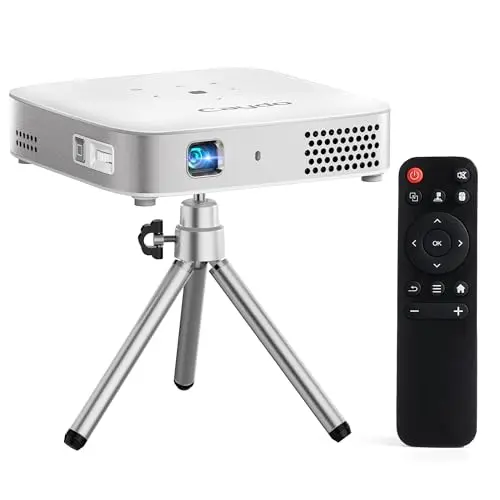
Caydo M1C Art Projector – Rechargeable DLP Drawing Projector
A portable, rechargeable projector that uses DLP technology for smooth, vibrant images. Its dedicated art app and 4K support make it a great mobile studio for artists or even cookie decorators who want to work anywhere.
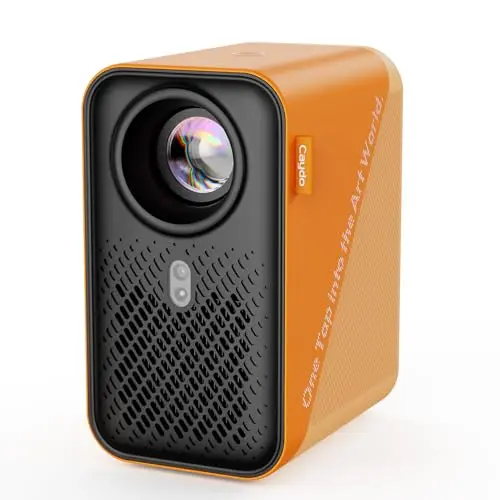
Caydo P1 Art Projector with Exclusive Drawing App – Auto Focus LED Projector
A solid mid-range entry from Caydo, offering core features like auto-focus, keystone correction, and their helpful drawing app. It’s a reliable workhorse for everyday tracing projects on walls or easels.

Artograph EZ Tracer Opaque Art Projector – The Classic Tool
The OG of art projectors. This simple, no-frills opaque projector uses a bright light and a lens to enlarge physical artwork. It’s a timeless, straightforward tool that has been in artists’ studios for decades.
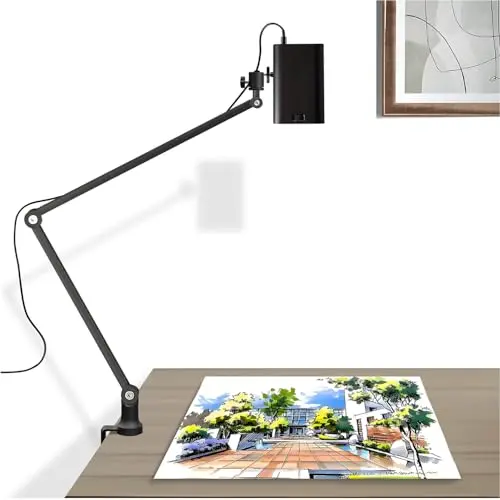
Drawing Projector, Art Projector for Tracing – Portable Smart Projector
A compact and versatile mini projector that promises to be both a tracing tool and an entertainment device. The included tall, adjustable stand gives you great flexibility for positioning.
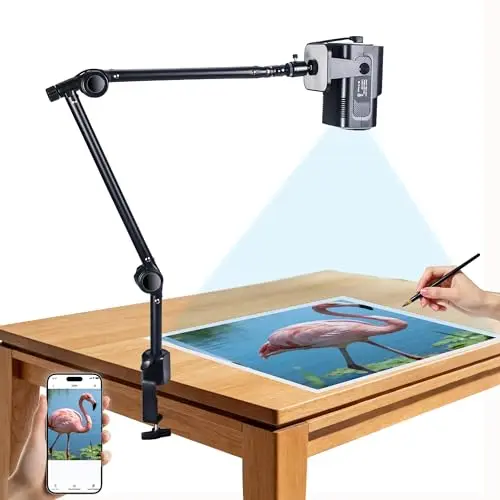
Dyhodu Art Projector for Tracing – Smart Art Sketcher
A straightforward digital art projector focused on connectivity, with built-in WiFi and Bluetooth for easy pairing with your devices. It offers a wide range of adjustable projection sizes for different projects.

HI-REEKE Art Projector for Tracing – Smart Art Sketcher
Another budget-friendly digital option that connects to iOS and Android devices. It’s designed to be a simple tool for getting images from your phone onto your canvas or wall for tracing.
Our Testing Process: Why These Rankings Are Different
You’ve probably seen plenty of lists that just slap stars on products and call it a day. We wanted to do better. For this guide, we got our hands on 10 different art projectors and put them through real-world scenarios-from sketching on a canvas in a sunny room to helping a kid trace their first dinosaur.
Our ranking isn’t just about specs on a box. We used a scoring system where 70% of the score is based on purchase likelihood-how well it actually works for tracing, what real users say, and if it’s a reasonable tool for the job. The other 30% comes from feature highlights like unique apps, innovative tech, or competitive edges that make a product stand out.
For example, our top-rated Caydo P3 scored a 9.2 for its exceptional blend of high-definition clarity and artist-friendly software. Compare that to our Budget Pick, the Blue Marble kids’ projector, which scored an 8.7. That half-point difference represents the trade-off: you get incredible specialized features with the P3, or you get fantastic, simple value that’s perfect for beginners with the Blue Marble.
We looked at everything from premium options down to the most budget-friendly models. The goal was to show you not just the ‘best’ in a vacuum, but the best tool for your specific needs, budget, and skill level. These scores are our honest take on what delivers real performance, not just marketing hype.
Complete Buyer's Guide: How to Choose an Art Projector for Precise Tracing
1. Resolution & Image Clarity
This is arguably the most important factor. You need to see fine lines and details clearly. Native 1080P (1920×1080) projectors, like the Caydo P3, offer the sharpest image for intricate work. 720P (1280×720) is standard and perfectly good for most tracing, especially for beginners or larger outlines. Remember, ‘4K support’ often means the projector can play a 4K video file, but it downscales it to its native resolution (usually 1080P or 720P) for projection.
2. Brightness (ANSI Lumens)
Brightness determines if you can work with the lights on. For art projectors, you’ll see a huge range. Budget and classic opaque projectors often require a very dark room. Models with 300-400 ANSI lumens (like the Caydo P3) allow you to work in a dimly lit space. Home theater projectors repurposed for art, with 1500+ lumens, let you trace in daylight-but they’re larger and more expensive. Match the brightness to your workspace.
3. The Digital vs. Opaque Divide
Digital projectors (DLP or LED) project images from your phone, tablet, or computer. They’re versatile, often have apps, and don’t require physical artwork. Opaque projectors (like the Artograph) use a bright light to project a physical drawing or photo. They’re simple and cheap but only work with opaque originals and need darkness. Choose digital for flexibility and opaque for a traditional, no-fuss approach.
4. Specialized Features for Artists
Look for features that speed up your workflow. Built-in drawing apps (found in Caydo models) let you zoom, rotate, and apply grids to your reference image directly on the projector. Auto-focus and keystone correction are huge time-savers, keeping the image sharp and square even if the projector is angled. A rotatable base offers incredible positioning flexibility without a separate tripod.
5. Connectivity & Ease of Use
How do you get your image onto the projector? WiFi and screen mirroring (AirPlay, Miracast) are convenient for wireless streaming from phones. HDMI and USB ports provide reliable wired connections for laptops or flash drives. For kids’ projectors, simplicity is key-look for all-in-one kits with pre-loaded content that doesn’t need an external device.
6. Portability & Setup
Consider where you’ll use it. Compact, lightweight projectors with a built-in battery (like the Caydo M1C) are perfect for artists on the go or for teaching workshops. If it’ll live in your studio, size and weight matter less. Check if it includes a stand or tripod, or if you’ll need to purchase one separately for optimal positioning.
Frequently Asked Questions
1. Do I need a completely dark room to use an art projector?
It depends entirely on the projector’s brightness. Classic opaque projectors and many budget-friendly digital models absolutely require a dark room to see a clear image. Mid-range and high-end digital projectors with higher ANSI lumen ratings (300+) allow you to work in a dimly lit or even normally lit room. Always check the brightness specs relative to your workspace.
2. Can I use these projectors with my iPhone or Android phone?
Most modern digital art projectors are designed for this. They typically support screen mirroring via AirPlay (for iOS) or Miracast/Eshare (for Android). Some also have dedicated apps you can use to send images. Just ensure the projector’s listing specifies compatibility with your device’s operating system.
3. What's the difference between an art projector and a regular home theater projector?
While you can use a home theater projector for tracing, art-specific projectors often have specialized software features like drawing apps, grid overlays, and image rotation tools built right in. They might also prioritize accurate color reproduction and edge-to-edge sharpness over cinematic contrast ratios. Home theater projectors excel at brightness and movie playback but lack those artist-focused utilities.
4. Are there art projectors good for young children?
Absolutely. Look for projectors designed as learning-to-draw toys, like the Blue Marble or Caydo T3. These are safe, easy to use without parental help, and often include physical activities (markers, discs) or pre-loaded guided lessons. They encourage creativity without exposing kids to open internet browsing or complex setups.
5. How do I get the image size and focus just right?
Image size is controlled by the distance between the projector and the wall/canvas-farther away = bigger image. All projectors have a manual or electronic focus wheel to sharpen the image. Higher-end models add auto-focus and optical or digital zoom, which make this process automatic and much easier. Always place the projector as perpendicular to your surface as possible to avoid distortion, or use keystone correction to fix it.
Final Verdict
Choosing the right art projector comes down to matching the tool to your creative process. For the artist who wants every modern advantage, the Caydo P3 is your undisputed champion, blending superb image quality with intelligent software that feels like a creative partner. If you’re introducing a child to art, the Blue Marble Learn to Draw Projector offers incredible value and hassle-free fun. And if you cherish simplicity and have a dark corner to work in, the classic Artograph EZ Tracer remains a trustworthy, affordable workhorse. No matter your pick, the right projector will tear down the barrier between your idea and your canvas, letting you spend less time planning and more time creating.
